Product details
Medical Emergency AI Simulator
Routine care is familiar. An unexpected medical emergency may not be. Choose from the available cases in a 31-scenario source catalog, speak your decisions with coaching or on your own, then review the debrief. For general dentists, specialists and their teams, including sedation dentistry.
Who it is for
Routine care needs emergency rehearsal, too.
You do not need to offer sedation to have a reason to rehearse. General dentists, dental specialists and their teams can choose cases relevant to their practice. GP and OMS are tracks inside the app, not the only kinds of provider.
General dentists and specialists
From routine appointments to periodontal and other specialist care, rehearse medical emergencies such as syncope, hypoglycemia and seizures. Sedation is not a prerequisite.
Oral and maxillofacial surgeons
The OMS track includes surgical-office scenarios. Choose cases relevant to your setting, equipment and credentials, including sedation-related emergencies.
Including sedation dentistry
For practices offering minimal or moderate sedation, IV or non-IV, rehearse cases relevant to the care you provide. Work within your credentials, scope and local protocols.
Practice teams
Talk through what you would recognize, say and ask for. Use individual attempts and their debriefs as a starting point for a team conversation. No advanced-care credential is assumed.
Medical emergencies in dental care
An emergency is no time to discover your gaps.
A routine appointment can turn into a medical emergency. The question is not just what you know, but what you would do next. Rehearse the decisions, the words and the call for help before a real patient is depending on you.
- Source cases
- 31
- Megacodes
- 10
- Training modes
- 2
Guided coaching or live simulationLearn the response step by step, or work through the scenario independently.
The source catalog spans two clinical tracks: 19 general dentistry cases (GP) and 12 oral and maxillofacial surgery cases (OMS). The 10 megacodes are included in that total. Choose a track for your practice and a training mode for your attempt.
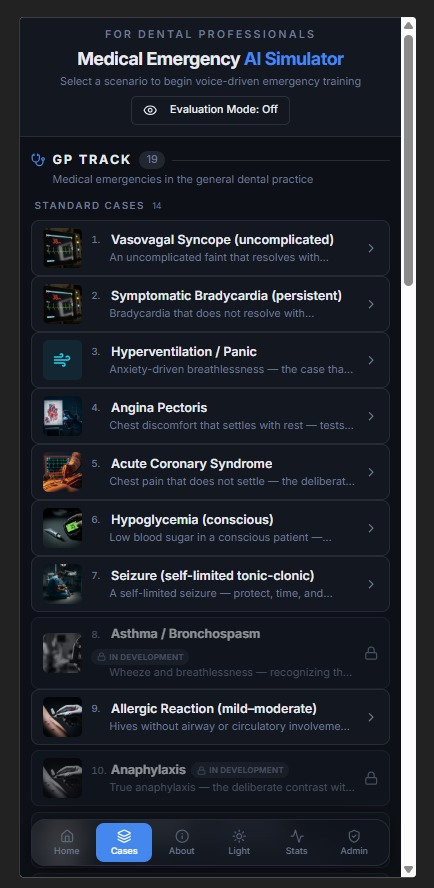
Recognize the change
Syncope, coronary events, hypoglycemia and seizures call for different observations and decisions. Rehearse the case, not a memorized answer.
Work inside the situation
Your briefing sets the patient, the equipment and the level of care expected. Decide what you would do with the information in front of you.
Face the consequences
The AI responds to your answers within the case. An incorrect decision can make the simulated situation worse, giving you something specific to review afterward.
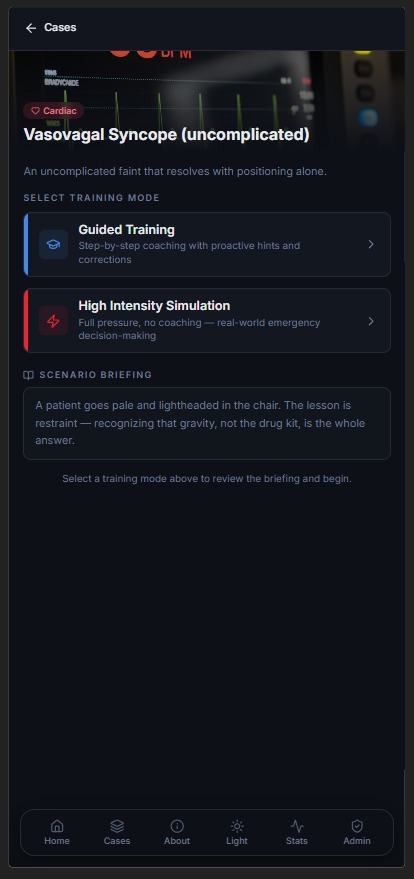
Two ways to face the case
When the pressure rises, can you make the next call?
Knowing the answer and finding it under pressure are different challenges. Use guided coaching to work through each step. Choose live simulation to face an unfolding scenario independently, with your decisions driving the response. Discover what needs work here, not for the first time during patient care.
| Guided coachingPractice mode | Live simulationIndependent Simulation mode | |
|---|---|---|
| Your challenge | Work through the response with a coach | Manage a high-intensity scenario independently |
| Guidance | Step-by-step prompts and explanations | Your decisions lead, without step-by-step coaching |
| Your response | Talk through the reasoning and retry | State your assessment and next action as the case unfolds |
| Mistakes | Review the error with coaching | Can worsen the simulated situation |
| Afterward | Review strengths, gaps and the transcript | Review your decisions, their consequences and the transcript |
Why train this way
How do you rehearse an emergency you rarely encounter?
Rehearse the rare event
Emergencies in the chair are uncommon, so few providers get repetitions. Here you can get them on your own schedule.
Pick your own case
Choose a track, a case and a mode, then focus each attempt on what you want to rehearse.
A coach when you want one
In Practice, talk through decisions with an AI coach and retry.
A debrief from your words
Strengths, gaps and recommendations come from what you actually said.
A transcript to revisit
Read back what was said and check it against the feedback.
Repeat with a focus
Return to a case, try again and let your history guide what is next.
Interactive, dynamic AI
Knowing the next step is not the same as acting under pressure.
The room is tense. Someone is asking what to do. Rehearse stating your assessment, calling for help and choosing your next action before a real patient is involved. Speak your decisions and the AI responds within the case. This is a conversation with consequences, not a fixed answer sheet.
- Choose your route
- Select a track, a case and Practice or Simulation. Those choices set the scenario and how much coaching you get.
- Hear the context
- Read the briefing and the simulated clinical information before you decide.
- Speak your next decision
- Use the microphone to say what you see and what you would do, in your own words.
- Watch the case respond
- The AI adjusts its response to your answers within the scenario. A missed cue or an incorrect decision can make the simulated situation worse.
- Review the consequences
- Read your transcript and debrief. Find the decision to revisit, then rehearse that part of the response again.
Needs a microphone and an internet connection.
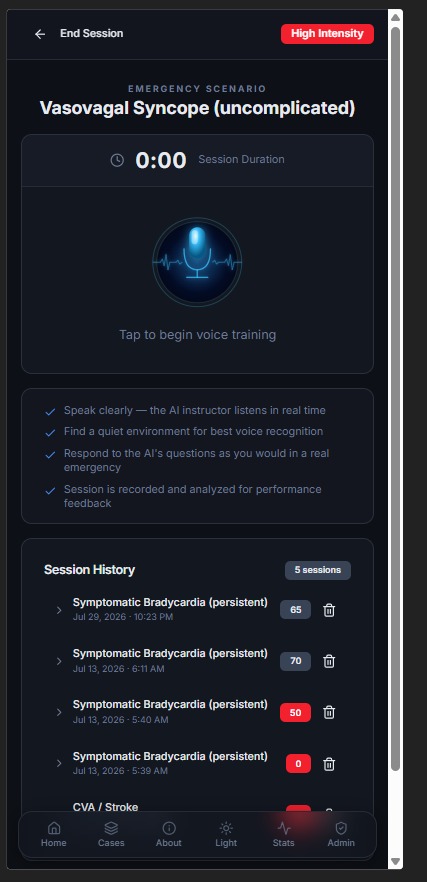
Five-page case report
Find your gaps before a patient is depending on you.
Every completed scenario includes a five-page case report. See what went right, where your response broke down and what to rehearse next. Read the full transcript, revisit an inaccurate answer and use the recommendations to plan your next attempt. Better to find the gap here than during patient care.
- Overall scoreA training score for the session.
- What went rightThe strengths identified in your spoken response.
- Where it went wrongUnclear, late or missing responses to revisit.
- Your next attemptRecommendations for the decisions and responses that need more rehearsal.
- Full transcriptRead the entire exchange and compare the feedback with the answers you actually gave.

Personal CPR-step review
Where did your response break down?
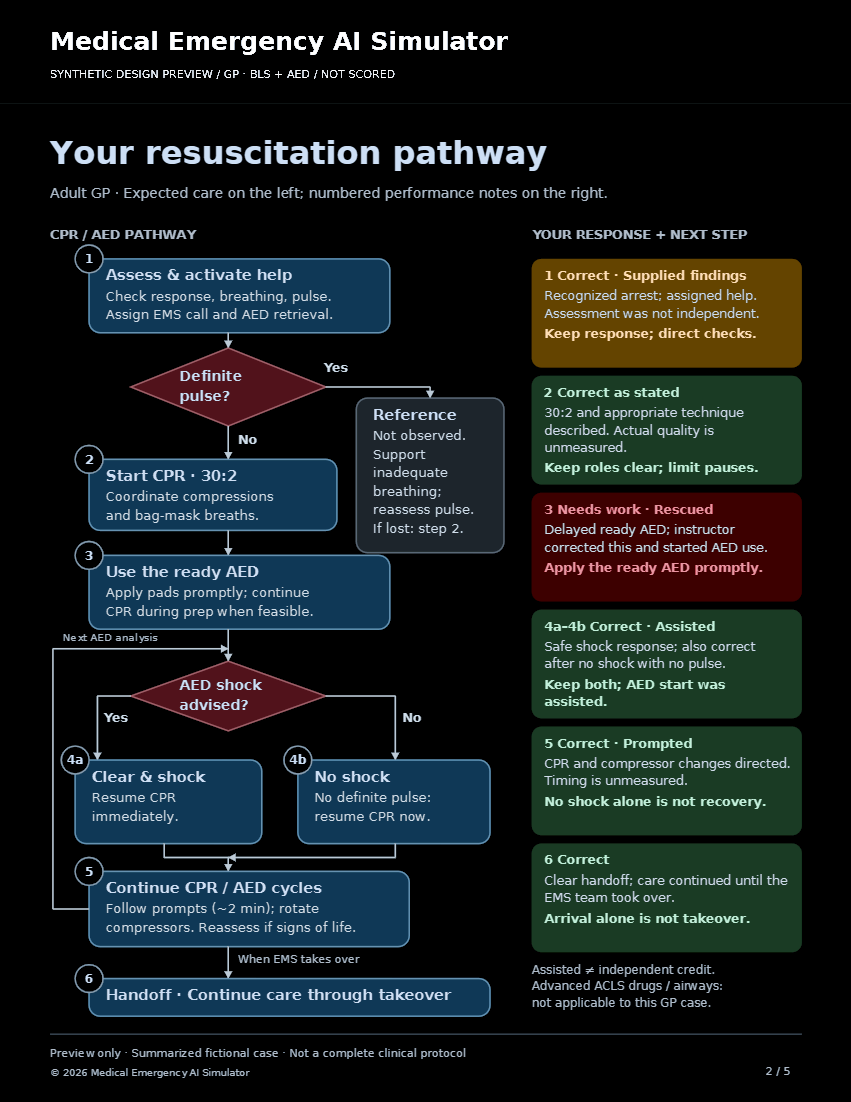
Knowing the algorithm does not mean every step comes easily under pressure. This review preview connects your stated response with the steps expected for the case, highlights gaps and distinguishes independent decisions from prompted answers.
Choose the step that needs another attempt. Better to uncover that gap in simulation than during patient care.
Find the missed step
The preview lines up spoken responses with the steps expected for the case, making response gaps easier to review.
Independent versus prompted
The review separates what you said on your own from what was prompted by the simulated team or assisted by an instructor.
Next-attempt coaching
Each finding points to what to practice on the next attempt.
CPR review assessment
Report preview
Inside the app
From case choice to progress.
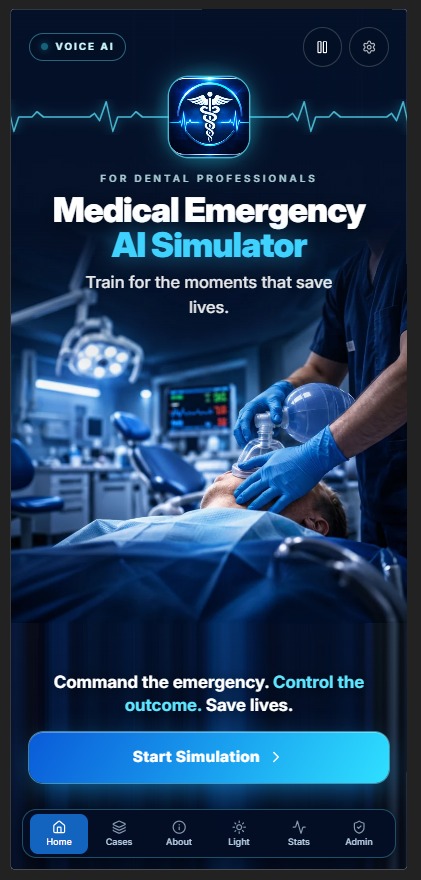
Home
Start from the home screen.
Case selection
Pick the emergency you want to rehearse.
Mode and briefing
Choose coaching or independence, then read the briefing.
Voice training
Say your next action and the scenario responds.

Sample progress Progress
Case averages and repeat attempts.
Analytics and progress
See your progress. Case by case.
When emergencies are rare, regular rehearsal matters. Compare repeat attempts in the same case, review your case averages and follow the learning curve over time.
Sample progress- Best score
- 94 / 100
- First try to fifth, average gain
- +34 points
- Weekly average, week 1 to 5
- 58 to 92
Repeat attempts
Score by try for three cases, on a 0 to 100 scale.
| Case | First | Latest | Change |
|---|---|---|---|
| Bradycardia | 54 | 90 | +36 |
| Stroke | 58 | 92 | +34 |
| Syncope | 62 | 94 | +32 |
Average by case
Mean of five tries, with the best score for each case.
| Case | Tries | Avg | Best |
|---|---|---|---|
| Bradycardia | 5 | 72.6 | 90 |
| Stroke | 5 | 75.2 | 92 |
| Syncope | 5 | 78.6 | 94 |
Weekly learning curve
Average score across the three cases, one attempt per week.
| Week | Average score |
|---|---|
| Week 1 | 58 |
| Week 2 | 67 |
| Week 3 | 76 |
| Week 4 | 84.3 |
| Week 5 | 92 |
History and repeat training
Give your next attempt a focus.
A real emergency is not a place to experiment. Rehearsal gives you a place to try, review and try again. Compare repeat attempts within a case, check your averages and use the debrief to decide what to revisit.
Session count
How many sessions you have completed.
Average and best scores
Scores across attempts.
Per-case attempts
Each case, side by side.
Trends and recent reports
Saved reports and training history.
Assigned modules
Training organized around instructor assignments.
Questions
Explore the cases with your team.
See the simulator in action with a live demo. No demo request needed.